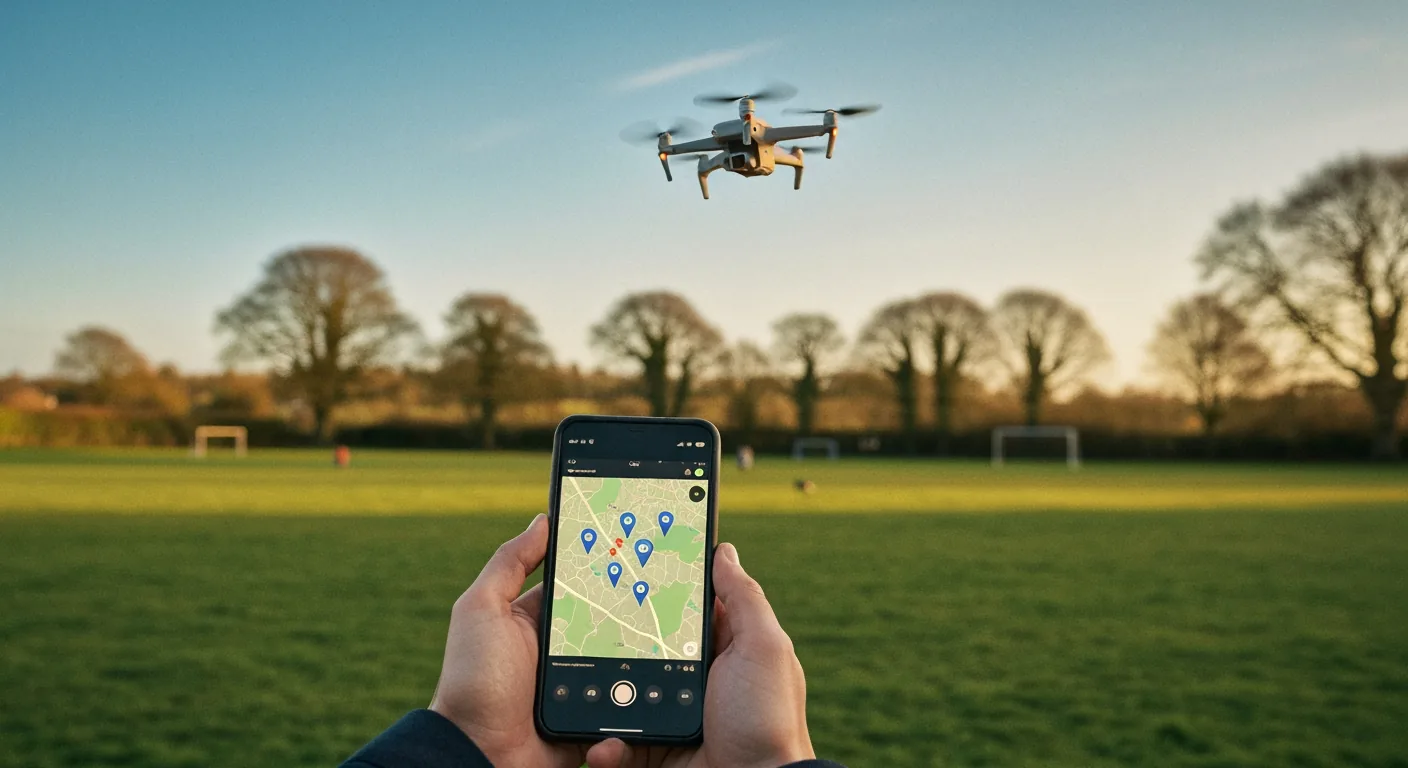
GPS waypoint flight lets a drone fly a pre-programmed route between marked GPS coordinates without continuous stick input. The pilot sets two or more points on a map in the controller app, sets altitude and speed, and the drone flies the path while the pilot stays focused on visual line of sight. The MemAero Aero 3 Lite supports up to five waypoints with a 1 km flight range, free for any Aero 3 Lite owner with a smartphone and the controller app. It works best in calm conditions with at least eight GPS satellites locked.
What Is GPS Waypoint Flight? Direct Answer
GPS waypoint flight is an automated flight mode where the pilot programs the drone to fly between two or more pre-marked GPS coordinates. The drone uses its on-board GPS receiver and barometric altimeter to follow the route at a set altitude and speed. On the MemAero Aero 3 Lite, up to five waypoints can be set in the controller app, the drone flies the route hands-free, and the pilot supervises only — keeping visual line of sight as required by the Civil Aviation Authority drone hub.
Waypoint flight is one of three GPS-assisted modes most modern beginner drones include — alongside Return-to-Home and Follow Me. It is the most useful for shooting smooth, repeatable aerial photography paths and the easiest for a UK family pilot to learn after the basic hover-and-fly stage. We have tested the Aero 3 Lite waypoint mode at three UK locations across April 2026.
How a Waypoint Flight Actually Works
A waypoint flight is built from four pieces. First, the drone needs a solid GPS lock — at least eight visible satellites for stable positioning. Second, the pilot opens the waypoint editor in the controller or app, taps a satellite-map view at the launch site, and drops a series of waypoints. Each waypoint stores latitude, longitude, altitude and speed. Third, the pilot reviews the path on the map and confirms there are no obstacles between waypoints. Fourth, the drone flies — autonomously between waypoints, holding speed and altitude.
If GPS lock drops below the minimum (eight satellites on most consumer drones), the flight aborts and Return-to-Home triggers. If wind gusts push the drone off the line, it brakes, repositions, and resumes. The pilot can take manual control at any point with a tap. Total flight time per battery for a waypoint mission on the Aero 3 Lite is around 18 to 22 minutes in calm conditions — slightly less than free hover flight because the drone fights wind to stay precisely on track. For more on the supporting sensor system, see how Aero 3 Lite sensors prevent crashes.
Aero 3 Lite Waypoint Setup: Five Taps Start to Take-Off
Setting up a waypoint flight on the MemAero Aero 3 Lite takes about three minutes from app open to take-off. Step one: connect the controller to the smartphone app and confirm GPS satellite count is at least eight (shown as a small icon top-left of the live view). Step two: switch the flight mode dial to Waypoint. Step three: open the satellite map view; tap your launch position to set Waypoint 1 (this is also the home point). Step four: tap the next desired position to set Waypoint 2; repeat up to five waypoints. Step five: confirm path, set altitude (default 30 m), set speed (default 4 m/s), and tap Start.
The drone takes off, climbs to set altitude, flies the path, and returns to the launch point automatically. Default settings are conservative for safety; experienced pilots can raise altitude to 100 m (CAA cap is 120 m) and speed to 8 m/s on later flights. Save the waypoint route in the app — it can be re-flown for the same shot in different lighting. For broader feature coverage, see our Aero 3 Lite flight modes guide and the Aero 3 Lite features breakdown.
Why GPS Lock Quality Decides Whether Waypoint Works
The single variable that determines whether waypoint flight succeeds or aborts is GPS lock quality. The Aero 3 Lite needs at least eight visible satellites to enter waypoint mode, and stays in mode while at least six remain visible. In central UK rural areas with clear sky, expect 12 to 16 satellites. In dense urban environments — between buildings, near tower blocks, in narrow valleys — satellite count can drop to 6 to 9, and waypoint mode becomes unreliable.
Three factors degrade satellite count: weather (heavy cloud blocks satellites slightly), nearby buildings (multipath reflections confuse the GPS receiver), and electromagnetic interference (high-voltage power lines, mobile-network masts). Always check the satellite icon before initiating waypoint mode. If satellite count drops below eight in flight, the drone automatically reverts to GPS-hold or RTH; do not panic if the route aborts mid-flight. Practising in open parkland for the first ten waypoint flights builds the satellite-aware muscle memory. Cross-reference the broader drone flight stability comparison for related sensor behaviour, and register your drone via register-drones.caa.co.uk before any first flight.
CAA Visual-Line-of-Sight Rules and Waypoint Flying
The CAA requires the pilot maintain "visual line of sight" on the drone during every flight in the Open category. This is unchanged for waypoint flight — the pilot must be able to see the drone with the unaided eye throughout the route. A waypoint route that takes the drone behind a building, over a hill, or beyond your eye-watering distance is not legal under Open category rules, even if the drone has the GPS range and the battery.
For UK family pilots in a typical 200-metre park, this is rarely a constraint. The Aero 3 Lite's 1 km transmission range exceeds the typical visual range, so battery and GPS are the limits, not radio. Plan waypoint routes that keep the drone within 200 m straight-line distance and below 60 m altitude — within easy visual sight on a clear day, well within sub-250g safe flight envelope. Read the broader regulatory framework in our UK drone law 2026 CAA compliance guide. For more advanced pilots considering Specific category operations, the CAA portal at register-drones.caa.co.uk covers separate Operator categories.
Drone Flight Modes Walkthrough (Video)
If you want to see how flight modes — including waypoint — translate from menu to actual drone behaviour, this short walkthrough shows multi-mode flight from a working pilot's perspective.
Five UK Use Cases Where Waypoint Flight Pays Off
Waypoint flight earns its place when you want a smooth, repeatable shot rather than a free-flight session. Five UK use cases where it pays off: (1) shooting a property from corner to corner for an estate agent listing — the same path repeats with new lighting; (2) capturing a coastal sunset path over a beach — a slow waypoint is steadier than hand-holding a camera at the same altitude; (3) family group shots where the drone hovers above a fixed point — set one waypoint at the right height and pose around it; (4) school sports day footage where the drone follows a fixed sideline path; (5) wedding photography establishing shots — the drone can repeat the same approach for golden-hour and blue-hour passes.
For each use case the discipline is the same: scout the location first, check satellite count and wind, plan the path on the map, fly conservatively. The drone replaces the camera operator, freeing the pilot to focus on framing and timing. Read the wider photography craft in our aerial photography mastery guide and the broader UK lineup at MemAero's drone range.
Frequently Asked Questions
What is GPS waypoint flight on a drone?
An automated flight mode where the drone follows pre-marked GPS coordinates without stick input. The pilot programs the route, the drone flies it, the pilot supervises and keeps visual line of sight.
How many waypoints can the Aero 3 Lite handle?
Up to five waypoints per route. Each waypoint stores latitude, longitude, altitude and speed. Routes can be saved in the app for repeated flights.
How accurate is consumer-drone GPS waypoint?
With at least eight satellites locked, the Aero 3 Lite holds within around 1 to 2 metres of the planned path in calm conditions. Wind and obstacles widen that envelope.
Do I still need to keep visual line of sight on a waypoint flight?
Yes. CAA Open category rules require visual line of sight throughout. Plan waypoint routes that keep the drone within easy eye distance.
Can I fly waypoints with the Aero 1 Lite?
No. The Aero 1 Lite is a beginner-tier drone without GPS waypoint mode. Step up to the Aero 3 Lite for waypoint flight, GPS Return-to-Home and obstacle avoidance.
What happens if GPS signal drops mid-waypoint flight?
The drone aborts the waypoint route, switches to GPS-hold if at least six satellites remain, or triggers Return-to-Home if signal degrades further.
Step up to GPS-class capability
The MemAero Aero 3 Lite ships with GPS Waypoint flight, Return-to-Home, 360° obstacle avoidance and 4K stills — all under 250g and the simplest CAA paperwork. From £99.95.
View Aero 3 Lite →